
Building or upgrading a PC isn’t getting any cheaper. With what many PC enthusiasts are calling “Ramageddon”, RAM prices have become a concern for anyone planning to upgrade. And it’s not just memory. Other PC components are also getting more expensive.
So, if you’re planning to upgrade your PC right now, maybe it’s worth thinking twice.
If your current system is still doing what you need it to do, there’s no reason to rush into buying new components. Instead, focus on taking care of what you already have.
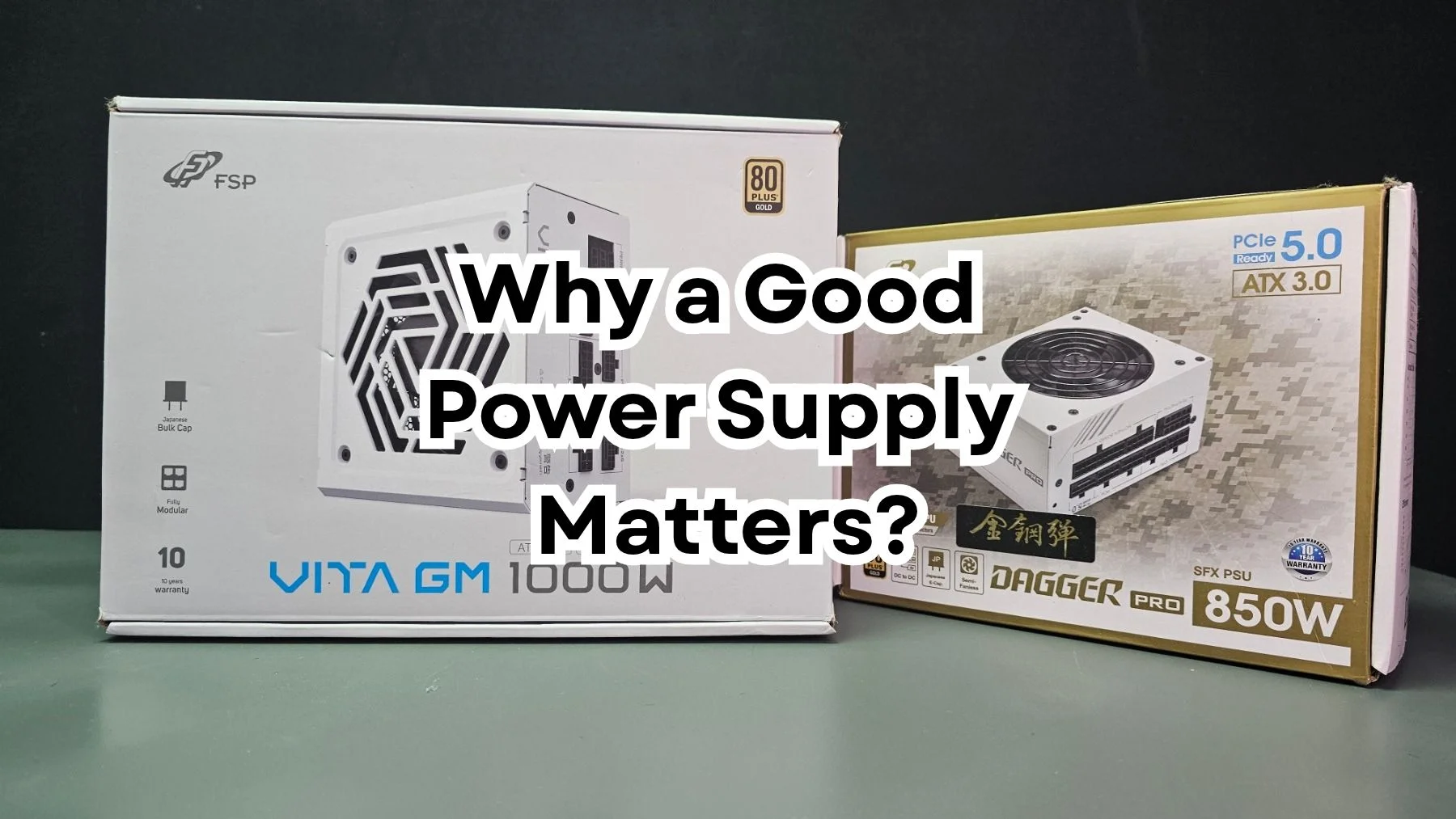
For me, one of the first things worth looking at is the power supply.
1. Hold Off on Upgrades If You Don’t Really Need Them
It’s always tempting to upgrade our PCs. There’s always a new graphics card, processor, or memory kit that makes us want to spend money.
But with component prices going up, upgrading just because something new is available isn’t always the best move.
If your PC can still handle your games, daily tasks, and content creation, there’s nothing wrong with keeping it for a little longer.
You don’t always need the latest hardware. Sometimes, getting the most out of your existing setup makes more sense, especially when upgrading costs a lot more than before.
Instead of spending on new components right away, take the time to maintain your system and make sure everything is running properly.
2. Don’t Overlook Your Power Supply

One component that often gets overlooked is the Power Supply Unit or PSU.
A lot of us are willing to spend more on our processors, graphics cards, motherboards, and even RGB accessories. But when it comes to the power supply, it’s often where we try to save a few pesos.
I understand why. A PSU won’t give you more FPS or make your games look better. But it’s responsible for supplying power to every component inside your PC.
A reliable power supply delivers stable power and has protection features against electrical problems such as overvoltage, undervoltage, overcurrent, and short circuits.
Of course, having a good PSU doesn’t mean your components will never fail. But it helps reduce certain risks, especially when you’ve already invested a lot of money in your build.
Think about it. You’ve spent thousands of pesos on your graphics card, processor, and motherboard. Would you really want to compromise on the component that powers all of them?
3. Why I Trust FSP
I’ve been using FSP power supplies for quite some time now, both on my personal PC and my test bench. That’s where my confidence in the brand comes from.
As someone who regularly builds PCs, tests hardware, and works on different modding projects, I need a power supply I can depend on.
My test bench is constantly used for testing different components, swapping hardware, and running workloads for my reviews. My personal PC, meanwhile, handles my everyday work, content creation, and gaming.
So, choosing a reliable PSU is something I don’t take lightly.
I’m not saying FSP is the only brand worth considering, or that every model they offer is automatically the best. You still need to look at the specifications, build quality, and performance of the specific model you’re buying.
But based on my experience using their products, I’m comfortable having FSP power supplies in my own systems. For me, that’s a better reason to recommend a product than simply repeating what a manufacturer says about it.
4. What to Look for When Buying a Power Supply
If you’re planning to replace your current PSU, here are a few things you should check before buying.
Wattage
Make sure it can handle your CPU and GPU requirements. Leave enough headroom for your system and possible future upgrades.
Protection features
Check for OVP, UVP, OCP, OPP, SCP, and OTP. These are designed to protect the power supply and your system against different electrical problems.
Efficiency rating
Look for a PSU with a reputable efficiency certification, such as Cybernetics. Its ratings provide a more detailed look at power efficiency and noise levels compared to the traditional 80 PLUS certification. Still, don’t judge a PSU based on its efficiency rating alone. There’s more to power supply quality than that.
Build quality and warranty
Check the components used, overall design, and manufacturer’s warranty. These matter when choosing a PSU you intend to use for several years.
Future compatibility
If you’re planning to upgrade your graphics card later, consider the wattage and connectors you’ll need. This can save you from having to replace your PSU again.
My advice is simple: don’t just buy the cheapest PSU you can find. It’s better to invest in a reliable unit that suits your system than compromise on something responsible for powering all your components.
5. Prioritize Your PC Before Buying More Accessories
I know how tempting it is to buy a new keyboard, mouse, headset, monitor, or RGB accessories. These can definitely improve your setup, but they’re not always necessary upgrades.
If you’re still using an old or questionable power supply, I’d prioritize replacing that first.
Personally, I’d rather make sure the components inside my PC are properly protected before spending money on accessories.
You don’t need the most expensive PSU either. Just find a reliable one with the right specifications for your system.
It’s not the most exciting purchase, but it’s one worth considering.
6. Don’t Forget Basic PC Maintenance
Aside from having a reliable power supply, there are other things you can do to keep your PC in good condition.
- Clean your PC regularly. Dust buildup can affect airflow and cooling.
- Monitor your temperatures. Keep an eye on your CPU and GPU, especially during heavy workloads.
- Maintain proper airflow. Make sure your fans are positioned properly and airflow isn’t blocked.
- Use a surge protector or UPS. This adds another layer of protection against electrical disturbances and power interruptions.
- Avoid unnecessary overclocking. There’s no need to push your components harder if you don’t need the extra performance.
- Back up your important files. Hardware can fail, even with proper maintenance.
These are simple things, but they can make a difference in keeping your system running properly.
With PC component prices getting harder to justify, I think it’s a good time to rethink how we spend money on our builds.
Instead of always looking for the next upgrade, maybe we should focus on taking care of the hardware we already own.
Sometimes, it’s better to protect what you already have rather than spend more on something new.


Leave a Reply